How to Write an App Requirements Document (PRD)
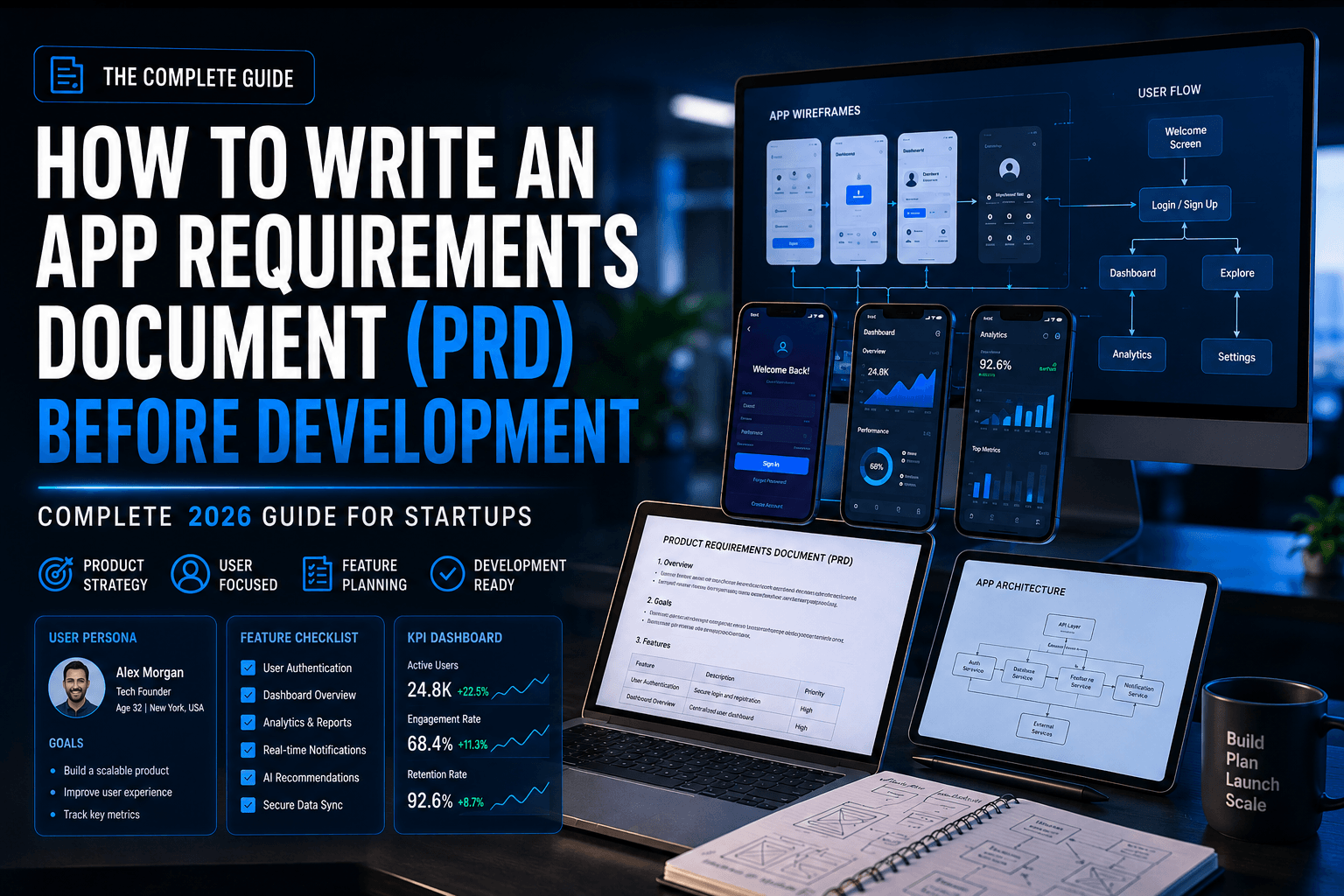
1. Introduction: Why a PRD Is the #1 Mistake Startups Make
Every week, dozens of app ideas die in development—not because the idea was bad, but because nobody wrote down what the app was actually supposed to do. As Mr Mobile App Developer, I’ve seen countless startups waste time, money, and resources because they skipped creating a clear Product Requirements Document (PRD) before development began.
In 2026, with Flutter, React Native, and AI-assisted coding making development faster than ever, the bottleneck is no longer writing code — it is clarity. Developers can build anything you describe. The question is: can you describe it?
A Product Requirements Document (PRD) — also called an App Requirements Document — is your single source of truth. It is the bridge between your idea and a working app. Without it, you will face:
- Scope creep that doubles your budget
- Features built differently than intended
- Missed deadlines due to misaligned expectations
- Constant back-and-forth with your developer
- A finished app that does not solve the original problem
According to the Standish Group, 31% of software projects are cancelled and 52% cost 189% of their original estimate — most due to unclear requirements.
This guide will walk you through writing a world-class PRD from scratch — even if you have never done it before.
2. What Is an App Requirements Document (PRD)?
A Product Requirements Document (PRD) is a structured document that defines what your app must do, who it is for, how it should behave, and the constraints it must operate within.
It is not a technical specification (that comes later). It is not a marketing plan. It is the definitive, agreed-upon description of the product you are building.
PRD in Simple Terms
Think of it as a blueprint for a house. The architect uses it to understand every room, door, window, and function of the building before a single brick is laid. Your developer uses the PRD the same way — before a single line of code is written.
What a PRD Covers
- The problem your app solves
- Who will use the app (personas)
- Every feature and how it works
- Platforms (iOS, Android, Web)
- Performance and security expectations
- Integration requirements (payments, maps, APIs)
- Business goals and success metrics
3. PRD vs BRD vs FRD: Key Differences Explained
These three documents are often confused. Here is a clear comparison:
Document | Full Name | Focus | Who Writes It | When |
PRD | Product Requirements Document | What the product does & why | Product Manager / Founder | Before development |
BRD | Business Requirements Document | Business goals & ROI | Business Analyst / CEO | Before PRD |
FRD | Functional Requirements Document | How features technically work | Tech Lead / Developer | After PRD |
💡 For most startups and freelance app projects, you only need a PRD. It is the sweet spot between too vague (BRD) and too technical (FRD).
4. Why You Need a PRD Before Development Starts in 2026
The app development landscape in 2026 is faster, more complex, and more competitive than ever. AI-generated code, cross-platform frameworks, and offshore teams mean you can build an app in weeks — but without a PRD, you will build the wrong app in weeks.
The Cost of Skipping a PRD
Stage | Without PRD | With PRD |
Planning | Vague goals, unclear features | Clear scope, defined outcomes |
Development | Constant revisions, scope creep | Focused builds, fewer changes |
Testing | Unclear what ‘done’ means | Test against defined criteria |
Launch | Wrong features shipped | Right product delivered |
Budget | 150–300% cost overrun common | Predictable, controlled spend |
2026-Specific Reasons PRDs Matter More Than Ever
- AI coding tools build fast — but they build exactly what you describe. Vague input = broken output.
- Remote and offshore teams need written clarity — verbal communication across time zones fails.
- Investors and stakeholders want documentation — a PRD doubles as a pitch artifact.
- App Store compliance is stricter — privacy, security, and platform requirements must be defined upfront.
5. Who Should Write the PRD?
In an ideal world, a Product Manager writes the PRD. In a startup, it is usually the founder. In a freelance project, it is a collaboration between you and your app developer.
Responsible Parties by Company Size
Context | Who Writes the PRD |
Solo Founder / Startup | Founder (with developer feedback) |
Small Business | Business Owner + hired PM or consultant |
Agency / Freelance Project | Client defines goals; developer structures PRD |
Enterprise | Dedicated Product Manager |
💡 Pro Tip: If you are hiring a freelance mobile app developer, share a rough PRD before getting quotes. You will receive far more accurate estimates — and weed out low-quality developers immediately.
6. The 10 Essential Sections of a PRD
A production-grade PRD for 2026 must include all 10 of these sections. Let us go through each one in detail.
6.1 Executive Summary & App Overview
This is the 30-second pitch of your app inside the document. It should be clear enough that someone with no prior context understands the product after reading it.
What to Include:
- App name and tagline
- One-paragraph description
- Core problem it solves
- Platforms (iOS / Android / Web / Cross-platform)
- Target market / industry
- Business model (subscription, freemium, one-time purchase, marketplace)
Example:
“FitTrackPro is a cross-platform fitness tracking app for busy professionals aged 25–45. It solves the problem of inconsistent workout habits by using AI-driven personalized plans and daily nudges. Available on iOS and Android, it operates on a freemium model with a $9.99/month Pro tier.”
6.2 Goals & Success Metrics (KPIs)
Every feature in your app should map to a business goal. This section defines what success looks like — in numbers.
Business Goals:
- Acquire 10,000 users in 6 months
- Achieve 4.5+ star rating on App Store
- Reduce user onboarding drop-off to under 15%
Technical KPIs:
- App load time under 2 seconds on 4G
- 99.9% uptime SLA
- Crash rate below 0.5%
Goal | KPI | Target | Measurement Tool |
User Growth | Monthly Active Users | 10K in 6 months | Firebase Analytics |
Engagement | Daily Active / Monthly Active Ratio | > 30% | Mixpanel |
Retention | Day-30 Retention Rate | > 40% | Amplitude |
Performance | App Crash Rate | < 0.5% | Crashlytics |
Revenue | Conversion to Paid | > 5% | RevenueCat |
6.3 Target Users & Personas
Your developer cannot build for “everyone.” Define your users precisely. User personas prevent you from building features nobody asked for and missing features everyone needs.
Persona Template:
Field | Example |
Name | Priya, 32 |
Occupation | Marketing Manager |
Tech Savviness | High — uses 5+ apps daily |
Primary Device | iPhone 15, uses app during commute |
Pain Point | Cannot track workouts consistently with busy schedule |
Goal | Lose 8 kg in 4 months without a gym membership |
Motivation | Wants data and accountability, not just a timer |
Include 2–3 personas covering your core user segments. More is not better — more is noise.
6.4 Functional Requirements
This is the heart of the PRD. Functional requirements define what the app does — every screen, feature, and user interaction.
How to Structure Functional Requirements:
Use user stories in this format: As a [user type], I want to [do something] so that [benefit].
Example User Stories:
- As a new user, I want to sign up with Google or Apple ID so that I can onboard in under 30 seconds.
- As a logged-in user, I want to view my weekly workout summary on the dashboard so that I can track my progress.
- As a Pro subscriber, I want AI-generated workout plans so that I get a personalised fitness program.
- As an admin, I want to see all user activity in a dashboard so that I can monitor engagement.
Feature Priority Matrix (MoSCoW):
Priority | Label | Description | Example |
P1 | Must Have | Core functionality. App fails without it. | User login, workout log, dashboard |
P2 | Should Have | High value, but not launch-blocking. | Push notifications, social sharing |
P3 | Could Have | Nice to have, lower ROI. | Leaderboards, themes |
P4 | Won’t Have (Now) | Out of scope for v1. | Wearable integration, AR features |
Never build a P3 or P4 feature in v1. Every extra feature is a bug waiting to happen and a delay you cannot afford.
6.5 Non-Functional Requirements (NFRs)
NFRs define how the app performs, not what it does. These are often overlooked and cause the most expensive post-launch problems.
Category | Requirement | Spec |
Performance | App Launch Time | Cold start < 3 seconds |
Performance | API Response Time | < 500ms on 4G |
Scalability | Concurrent Users | Support 50,000 simultaneous users |
Availability | Uptime SLA | 99.9% (< 9 hours downtime/year) |
Security | Data Encryption | AES-256 at rest, TLS 1.3 in transit |
Usability | Accessibility | WCAG 2.1 AA compliance |
Compatibility | OS Support | iOS 16+, Android 10+ |
Localisation | Languages | English, Hindi, Spanish for v1 |
6.6 Tech Stack & Platform Requirements
You do not need to pick every library, but you do need to define the technology boundaries your developer must work within.
Questions to Answer in This Section:
- Native (Swift/Kotlin) or cross-platform (Flutter/React Native)?
- Backend: Node.js, Django, Laravel, Firebase?
- Database: PostgreSQL, MongoDB, MySQL, Firestore?
- Cloud: AWS, GCP, Azure, or Firebase Hosting?
- CI/CD pipeline: GitHub Actions, Bitrise, Fastlane?
If you are working with Mr Mobile App Developer, they specialise in Flutter, React Native, Node.js, and Firebase — making cross-platform apps that perform like native on both iOS and Android.
6.7 UI/UX Requirements & Wireframes
This section defines the visual and interaction design expectations — not the final design, but the rules design must follow.
What to Include:
- Brand guidelines (colours, fonts, tone)
- Navigation pattern (tab bar, drawer, stack)
- List of screens / user flows
- Wireframe links (Figma, Sketch, Adobe XD)
- Accessibility requirements
- Dark mode support (Y/N)
Minimum Screen List for a Standard App:
- Splash / Onboarding Screen
- Sign Up / Log In (Email + Social)
- Home / Dashboard
- Core Feature Screen(s)
- Profile / Settings
- Notifications
- Help / Support
- Payment / Subscription Screen (if applicable)
6.8 Third-Party Integrations
List every external service your app will connect to. Each integration adds cost, time, and potential failure points — so be precise.
Category | Service Options | Used For |
Authentication | Firebase Auth, Auth0, AWS Cognito | Login / Registration |
Payments | Stripe, Razorpay, PayPal, In-App Purchase | Subscriptions, one-time purchase |
Push Notifications | Firebase Cloud Messaging (FCM), OneSignal | User re-engagement |
Maps / Location | Google Maps, Mapbox | Location-based features |
Analytics | Firebase, Mixpanel, Amplitude | User behaviour tracking |
Cloud Storage | AWS S3, Firebase Storage, Cloudinary | Media / file uploads |
AI/ML | OpenAI API, Google Vertex AI | Smart features |
Communication | Twilio, SendGrid | SMS / Email notifications |
6.9 Security & Compliance
In 2026, security and data privacy are non-negotiable. App stores reject apps for compliance failures. Users uninstall over security concerns. Investors demand it.
Security Checklist:
- OWASP Mobile Top 10 compliance
- JWT or OAuth 2.0 authentication
- AES-256 encryption for sensitive data
- SSL/TLS for all API communication
- Rate limiting and API key rotation
- No sensitive data stored in plain text or logs
Compliance Requirements (by region/industry):
Regulation | Region / Sector | Key Requirement |
GDPR | European Union | User consent, data deletion rights |
CCPA | California, USA | Do-not-sell opt-out |
DPDP Act | India | Data localisation, consent framework |
HIPAA | USA (Healthcare) | Protected health information rules |
PCI DSS | Global (Payments) | Cardholder data security |
6.10 Timeline, Budget & Milestones
This section aligns everyone on delivery expectations and financial boundaries. It prevents the most common source of conflict between clients and developers.
Sample MVP Timeline (12-Week Sprint):
Phase | Duration | Deliverables |
Discovery & PRD Finalisation | Week 1–2 | Final PRD, wireframes, tech decision |
UI/UX Design | Week 2–4 | High-fidelity Figma screens |
Backend Development | Week 3–7 | APIs, database, auth, integrations |
Frontend / App Development | Week 4–9 | All screens coded and integrated |
QA & Testing | Week 9–11 | Bug fixes, performance testing |
Deployment & App Store Submission | Week 11–12 | Live app on iOS & Android stores |
Budget Breakdown Template:
Component | Estimated % of Budget |
UI/UX Design | 15–20% |
Frontend (App) Development | 30–35% |
Backend Development | 25–30% |
QA & Testing | 10–15% |
Deployment & DevOps | 5–8% |
Contingency Buffer | 10–15% |
Always include a 10–15% contingency buffer. Every app project encounters unexpected complexity. A buffer is not pessimism — it is professionalism.
7. PRD Template: Ready-to-Use Format (2026)
Copy this template for your next app project. Fill in each section before approaching any developer.
PRD Template Structure
Section | Content Required |
1. App Overview | Name, tagline, one-paragraph description, platform, business model |
2. Problem Statement | What problem does this solve? For whom? Why now? |
3. Goals & KPIs | Business goals + measurable success metrics |
4. Target Users | 2–3 detailed personas with demographics, pain points, goals |
5. Functional Requirements | User stories per feature, prioritised with MoSCoW |
6. Non-Functional Requirements | Performance, security, scalability, accessibility specs |
7. Tech Stack | Preferred platforms, languages, frameworks, cloud |
8. UI/UX Requirements | Brand guidelines, navigation, screen list, wireframe links |
9. Integrations | All third-party APIs and services with purpose |
10. Security & Compliance | Encryption, auth, regulatory requirements |
11. Timeline | Phase breakdown with weekly milestones |
12. Budget | Range, breakdown, contingency |
13. Assumptions & Dependencies | What are you assuming? What are you waiting on? |
14. Open Questions | Unresolved decisions that need answers before dev starts |
8. Common PRD Mistakes That Kill App Projects
Even experienced product managers make these errors. Avoid them.
Mistake 1: Too Vague
“The app should be fast” is not a requirement. “The app should load in under 2 seconds on a 4G network” is. Quantify everything you can.
Mistake 2: Building Everything in v1
Your first version should prove one thing — that users want the core solution. Features like leaderboards, themes, and social sharing belong in v2. Shipping fast and learning is worth more than shipping everything.
Mistake 3: No User Personas
Building without personas means building for yourself, not your users. Founders are rarely their own target user. Define who you are building for.
Mistake 4: Skipping Non-Functional Requirements
“We will fix performance later” is how you end up with a 1-star app. Performance, security, and accessibility must be defined before development begins.
Mistake 5: No Change Control Process
The PRD is a living document — but changes must be versioned and agreed upon. Uncontrolled changes are scope creep. Define how the PRD is updated and who approves changes.
Mistake 6: Developer Never Reads It
A PRD only works if both parties commit to it. Walk through the entire document with your developer before work begins. Use it as the basis for your development contract.
9. PRD for Different App Types
Your PRD emphasis will vary based on what kind of app you are building.
App Type | Critical PRD Focus Areas |
SaaS / Subscription App | Billing logic, role-based access, API rate limits, onboarding flow |
eCommerce App | Product catalogue, cart, payment gateway, order tracking, returns flow |
FinTech App | Regulatory compliance (PCI DSS, RBI), KYC flow, transaction security |
Healthcare App | HIPAA compliance, data privacy, emergency escalation, clinical accuracy |
On-Demand App (Uber model) | Geolocation, real-time tracking, driver/rider matching algorithm |
EdTech App | Content delivery, progress tracking, accessibility (WCAG), offline mode |
Social / Community App | Moderation tools, reporting system, privacy controls, feed algorithm |
Enterprise / B2B App | SSO, admin dashboard, audit logs, CRM/ERP integrations |
Mr Mobile App Developer has built apps across all these categories — from QR payment platforms (QRPAYz) and Real Estate Management Systems to Live Commerce Platforms and Online Learning Systems. Each required a tailored PRD approach.
10. How AI Tools Are Changing PRD Writing in 2026
In 2026, AI tools have dramatically accelerated PRD creation — but they have not replaced human judgment. Here is how smart teams are using AI in their PRD workflow:
AI Use Case | Tool | Benefit |
Generate first-draft user stories | ChatGPT / Claude | 10x faster than writing from scratch |
Identify missing requirements | GPT-4o with PRD review prompt | Catches gaps you miss |
Create persona profiles | Claude / Gemini | Structured, realistic personas quickly |
Competitive feature analysis | Perplexity AI | Research competitors’ features automatically |
Convert PRD to tech spec | Claude / Cursor AI | Bridge gap between PM and developer |
Caution: AI-generated PRDs miss context only you have — your business model nuances, your user insights, your competitive moat. Use AI to draft and structure, but always review and edit with human expertise.
11. Conclusion & Next Steps
A great app starts long before a developer writes the first line of code. It starts with clarity — and clarity lives in your PRD.
Let us recap what we have covered:
- A PRD is your app’s single source of truth, agreed upon before development
- It covers 10 essential areas: overview, goals, users, features, NFRs, tech, UI/UX, integrations, security, and timeline
- Without a PRD, you will face scope creep, budget overruns, and misaligned expectations
- The best PRDs are specific, prioritised, and written collaboratively with your developer
Your Next Steps:
- Download the PRD template from this guide
- Fill in sections 1–4 (Overview, Goals, Personas, Features) this week
- Share it with your developer for feedback before finalising
- Lock the PRD before any development begins
- Version control every change and get written agreement on scope additions
Ready to Build Your App the Right Way?
Mr Mobile App Developer offers free consultations and can help you structure your PRD before writing a single line of code. With 22+ years of experience and 100+ apps delivered, we bring the clarity your project needs.
Visit: mrmobileappdeveloper.com | Book a Free Consultation
Related Resources from Mr Mobile App Developer:
- Portfolio: Real-world apps built with proper PRD planning
- Case Studies: How structured requirements saved projects from failure
- MVPs & Bespoke Solutions for Startups — Start lean, scale fast
- QRPAYz — QR Payment Management System (see what a fintech PRD delivers)
- Real Estate Property Management System — Enterprise-grade requirements in action
- Home Service Management System — On-demand app built on clear specs
- Online Learning Management System (LMSxAI) — EdTech built right
Frequently Asked Questions (FAQ)
How long should a PRD be?
For a typical app MVP, a PRD is 10–20 pages. Larger enterprise apps may require 40–80 pages. Do not pad it — every sentence should add value.
Can I use a Google Doc for my PRD?
Yes. The format matters less than the content. Google Docs, Notion, Confluence, and Word all work. What matters is that it is shared, version-controlled, and accessible to all stakeholders.
How often should I update my PRD?
Before development starts, the PRD should be finalised and locked. During development, updates should go through a formal change request process. After launch, archive it and start a v2 PRD for the next release.
Do developers charge more without a PRD?
Yes — or they should. Without a PRD, developers cannot give accurate estimates. Fixed-price contracts require a signed PRD. Any developer who quotes without one is guessing — which means you will pay for those guesses later.
What is the difference between a PRD and a user story?
User stories are one component within a PRD. A PRD contains dozens of user stories alongside goals, personas, NFRs, compliance requirements, and timelines. User stories alone are not a PRD.
Get best mobile app development services
Develop your business app
Conclusion
A well-written Product Requirements Document (PRD) is the foundation of every successful app project. It helps define your vision, align stakeholders, reduce development risks, and ensure your app is built exactly as intended. Taking the time to create a clear PRD before development can save significant time, money, and frustration later.
If you need expert guidance in planning, documenting, and developing your app, Mr Mobile App Developer can help. With 22+ years of experience and 100+ successful projects delivered, we help startups and businesses transform ideas into scalable, high-quality mobile applications.
Ready to build your app the right way? Contact Mr Mobile App Developer for a free consultation today.
Quality Service For You
We deliver unique and blended experiences to our customers across the globe. From idea to execution and launch, we do ALL.
Backend Development:
Table of Contents
How to Calculate ROI for Mobile App Development in 2026
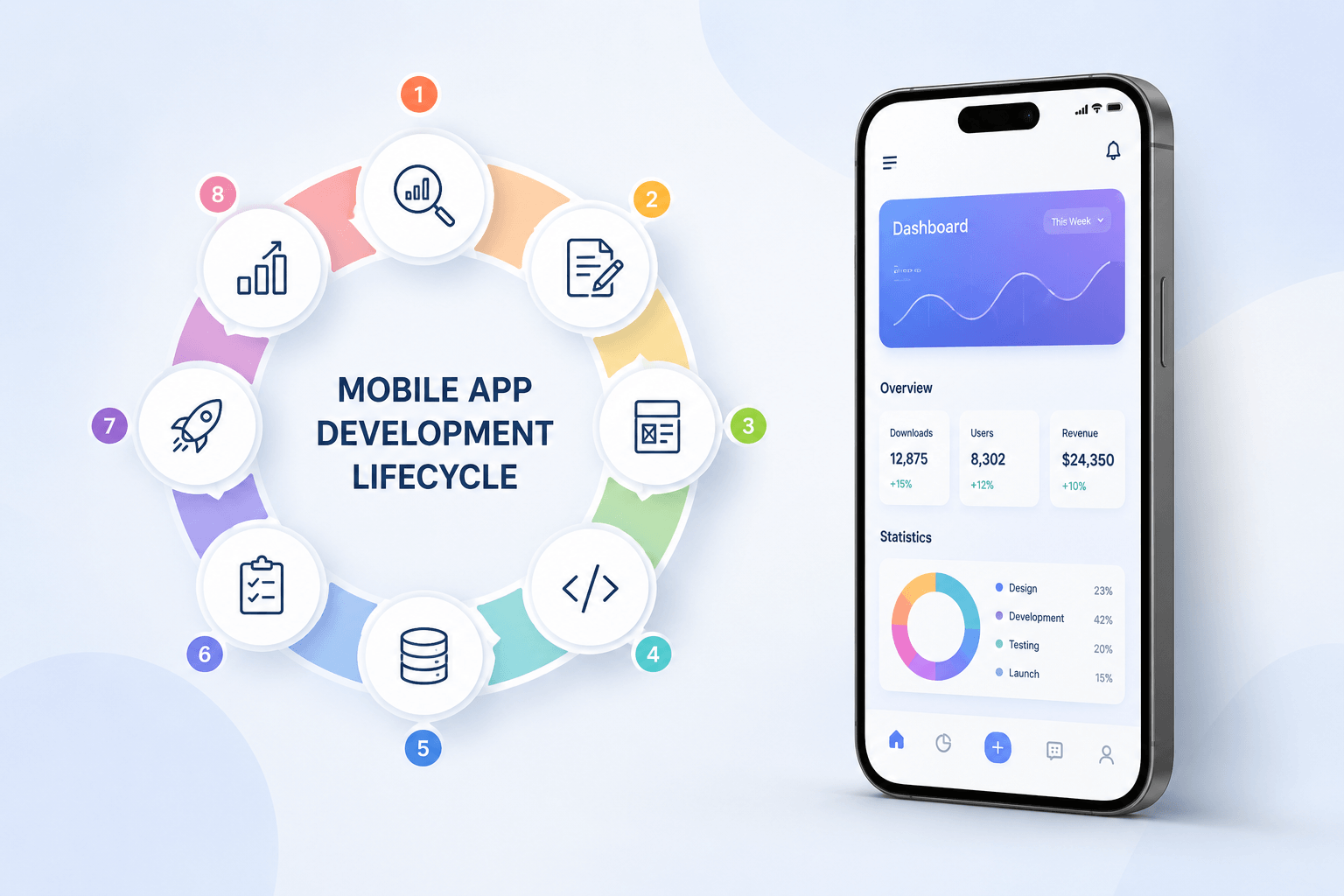
Mobile App Development Lifecycle: Complete 2026 Guide (8 Stages)