
App Store Rejection Reasons & How to Avoid Them
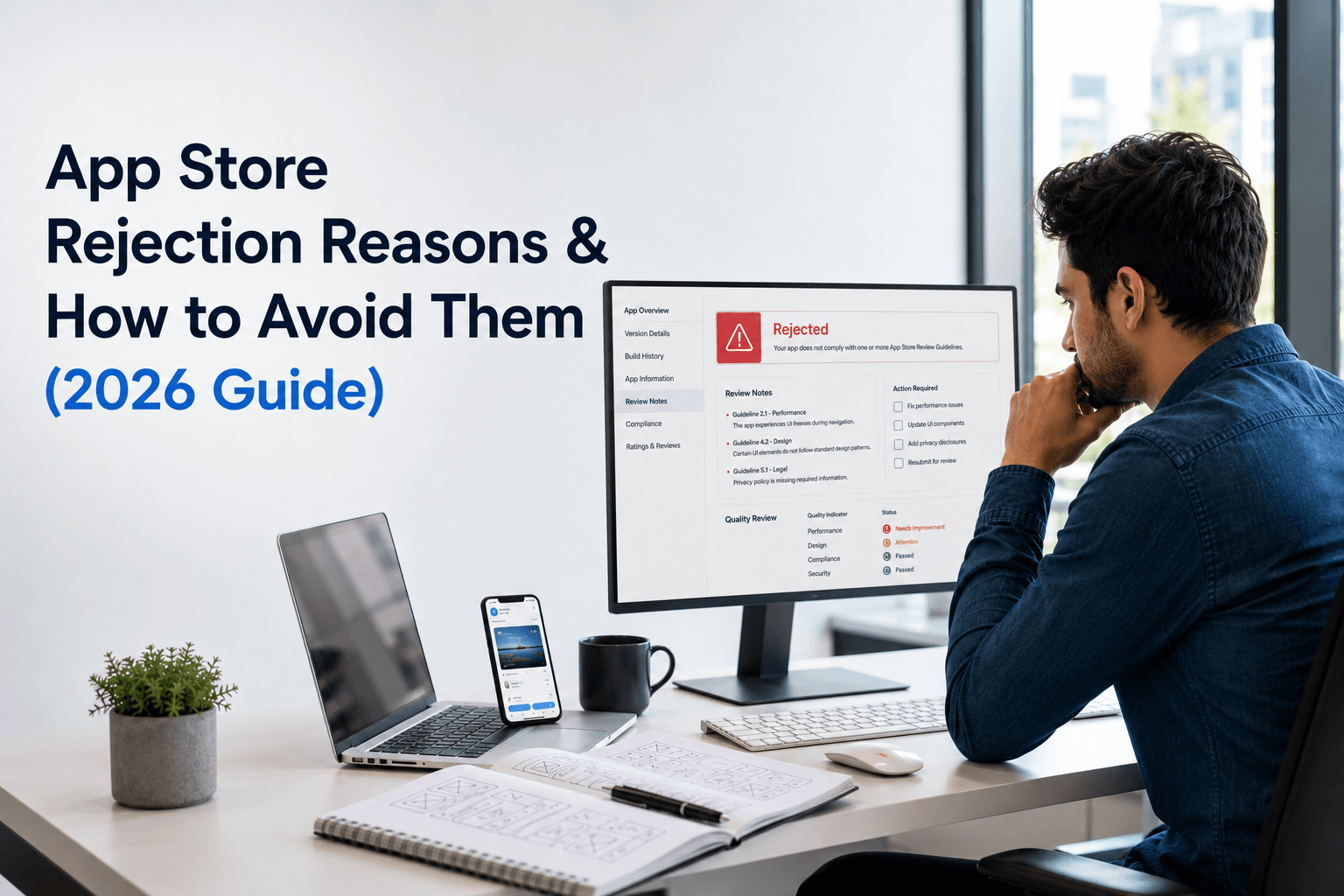
Getting a rejection email from Apple after weeks of development is frustrating, especially when the fix turns out to be a one-line change in your app description or a missing privacy label. Apple rejects a significant share of first-time submissions, and most of the reasons are entirely preventable once you know what the reviewers are checking for.
This guide breaks down every major App Store rejection reason for 2026, explains why Apple flags each one, and gives you a step-by-step checklist to get your app approved on the first try.
Quick Answer: The most common App Store rejection reasons are app crashes and bugs, incomplete app information, missing privacy policy or permission explanations, poor user experience, payment policy violations (bypassing In-App Purchase), copycat/duplicate apps, broken login flows, metadata violations, and security issues. Most rejections can be avoided with thorough testing, complete metadata, and strict adherence to Apple’s App Store Review Guidelines before submission.
What Is App Store Rejection?
App Store rejection happens when Apple’s App Review team evaluates a submitted app or app update and determines it doesn’t meet the requirements laid out in the App Store Review Guidelines. Instead of publishing the app, Apple sends the developer a rejection notice through App Store Connect, listing the specific guideline violated along with reviewer notes explaining what needs to change.
Rejection is not permanent. Once the flagged issue is fixed, the app can be resubmitted, and it goes through the review queue again. The problem for most businesses isn’t the rejection itself, it’s the lost time. Each review cycle adds days to a launch timeline, which is why identifying rejection risks before submission matters more than reacting after the fact.
Why Does Apple Reject Apps?
Apple rejects apps to protect three things: user safety, platform quality, and Apple’s own revenue model. Every rejection reason ties back to one of these goals.
- User safety — Apple screens for apps that crash, mishandle personal data, or mislead users about what the app actually does.
- Platform quality — Apple maintains a consistent bar for design, performance, and functionality across the App Store, which is why apps with broken navigation, placeholder content, or incomplete features get flagged.
- Revenue protection — Apple requires digital goods and services to be sold through In-App Purchase, so any app that routes around this system for digital content gets rejected.
Reviewers manually test apps against a detailed guideline document, and human judgment plays a real role. Two apps with similar functionality can get different outcomes depending on how clearly the app communicates its purpose, permissions, and data use.
How Long Does App Review Take?
Apple’s typical app review takes 24 to 48 hours for most submissions, though it can extend to several days during high-volume periods or for apps that require additional scrutiny, such as apps handling health data, cryptocurrency, or financial transactions.
If your app is rejected, the resubmission goes through the same review timeline again, which means a single overlooked detail can add 2-4 extra days to your launch. For businesses working against a fixed launch date, that is why pre-submission testing matters as much as the review process itself. If you want the review handled end-to-end by someone who has submitted hundreds of apps, our mobile app strategy planning covers submission timelines as part of the launch roadmap.
Top App Store Rejection Reasons
1. App Crashes or Bugs
Crashes are the single fastest way to get rejected. Apple’s reviewers test core user flows on real devices, and if the app crashes, freezes, or throws visible errors during that test, it gets sent back immediately, often without a detailed explanation.
How to avoid it: Test on multiple physical iOS devices and OS versions, not just the simulator. Run through every primary user flow, including edge cases like poor network connectivity, empty states, and back-button navigation, before submission.
2. Incomplete App Information
Apple requires accurate demo account credentials, complete App Store Connect metadata, and working contact information. Apps submitted with placeholder text, broken login demos, or missing test accounts for gated features are rejected on the spot.
How to avoid it: Fill in every required field in App Store Connect, including support URL, marketing URL, and demo credentials with clear reviewer notes explaining how to access restricted features.
3. Privacy Policy Issues
Every app that collects any user data needs a live, accessible privacy policy link. Broken links, generic template text that doesn’t match actual data practices, or a missing policy entirely are all common rejection triggers.
How to avoid it: Host the privacy policy on a permanent URL, keep it updated to reflect your actual data collection, and make sure the App Store Connect privacy questionnaire (Nutrition Labels) matches what the policy states.
4. Missing Permissions Explanation
iOS requires a clear purpose string for every system permission an app requests, such as camera, location, contacts, or push notifications. A vague or missing explanation, like “This app needs your location,” without stating why, results in rejection.
How to avoid it: Write specific, user-facing permission strings. For example: “We use your location to show nearby stores and estimate delivery time.” Only request permissions the app actually uses.
5. Poor User Experience
Apple rejects apps that feel unfinished: broken layouts, non-functional buttons, confusing navigation, or content that doesn’t render correctly on newer device sizes. This is one of the more subjective rejection reasons, but it’s also one of the most common for first-time submissions.
How to avoid it: Follow Apple’s Human Interface Guidelines, test on the latest iPhone screen sizes, and remove any placeholder or “coming soon” screens before submission.
6. Payment Policy Violations
Any app selling digital content, subscriptions, or in-app features must use Apple’s In-App Purchase system. Apps that link out to an external payment page for digital goods, or that mention cheaper pricing available elsewhere, are rejected under Apple’s guideline 3.1.1.
How to avoid it: Route all digital goods and subscription payments through In-App Purchase. Physical goods, services consumed outside the app (like an e-commerce checkout for shoes or apparel), and business-to-business transactions are generally exempt, but the line is strict, so confirm your specific use case against the current guideline before submission.
7. Copycat or Duplicate Apps
Apps that closely mimic an existing App Store listing in name, icon, or functionality, or multiple near-identical apps submitted by the same developer, get flagged as spam or copycat submissions.
How to avoid it: Make sure your app name, icon, and screenshots are original and clearly differentiate your app’s purpose. Avoid submitting multiple apps with only minor content differences under the same developer account.
8. Login and Account Issues
If an app requires account creation to access core functionality but doesn’t offer Sign in with Apple as an option (when it offers other third-party logins), it gets rejected under guideline 4.8. Broken registration or password reset flows during review also trigger rejection.
How to avoid it: If you offer Facebook, Google, or another third-party login, add Sign in with Apple as an equivalent option. Test the full signup-to-login cycle, including password reset, before submitting.
9. Metadata Violations
Keyword stuffing in the app name, misleading screenshots, irrelevant category selection, or promotional pricing language in the app description all count as metadata violations under Apple’s guidelines.
How to avoid it: Keep the app name focused on the actual brand, use screenshots that reflect the real in-app experience, and select the most accurate primary category rather than the highest-traffic one.
10. Security Issues
Apps that use insecure network connections, mishandle stored credentials, contain unresolved third-party SDK vulnerabilities, or request more data access than the functionality justifies are rejected for security reasons.
How to avoid it: Enforce HTTPS/TLS for all network calls, store credentials in Keychain rather than plain text, and audit third-party SDKs for outdated or flagged versions before submission.
How to Fix a Rejected App
- Read the full rejection message in App Store Connect, including the specific guideline number cited, not just the summary line.
- Reproduce the issue on your own device using the exact steps the reviewer likely followed.
- Fix only what was flagged in the resubmission; avoid bundling unrelated changes that could introduce new review risk.
- Use the Resolution Center to reply directly to the reviewer if the rejection reason is unclear or you believe it was a misunderstanding.
- Resubmit and monitor App Store Connect for the updated review status.
If a rejection is unclear or you’re seeing repeated rejections on the same guideline, our mobile support and maintenance team handles resubmissions and Resolution Center communication directly with Apple’s review team.
Step-by-Step App Review Checklist
☐ App tested on multiple physical devices and iOS versions
☐ No crashes, freezes, or broken flows in core features
☐ Demo account credentials added with clear reviewer notes
☐ Privacy policy live, accurate, and linked in App Store Connect
☐ Privacy Nutrition Labels match actual data collection
☐ Every permission request has a clear, specific purpose string
☐ Sign in with Apple included if other third-party logins exist
☐ All digital goods routed through In-App Purchase
☐ Screenshots and app description reflect the real app experience
☐ App name and icon are original, not similar to existing listings
☐ All network traffic uses HTTPS/TLS
☐ Support URL and contact information are active and correct
How to Prepare Your App Before Submission
Preparation matters more than speed. Before submitting, run a full internal QA pass across both iOS and Android if you’re launching on both platforms, since inconsistent behavior between the two often signals deeper bugs. Validate every third-party integration (payment gateways, analytics SDKs, push notification services) under real network conditions, not just Wi-Fi in the office.
It also helps to have someone outside the development team, ideally someone unfamiliar with the app, walk through the onboarding and core flow with no guidance. Confusion at this stage is usually a preview of what a reviewer will flag as poor user experience.
Common Mistakes Developers Make
- Submitting with test/placeholder content still visible in production builds
- Assuming Android’s Google Play guidelines apply equally to Apple’s review process
- Requesting broad permissions (like full contacts access) for features that only need partial data
- Skipping the demo account setup for apps with gated content
- Rushing metadata (screenshots, descriptions, keywords) as an afterthought right before submission
- Not testing the app under a logged-out or first-time user state, which is exactly how reviewers approach it
Apple App Store Review Guidelines Explained
Apple’s App Store Review Guidelines are organized into five core sections: Safety, Performance, Business, Design, and Legal. Safety covers objectionable content and data handling. Performance covers app completeness, beta testing, and hardware compatibility. Business covers payments and subscriptions. Design covers the Human Interface Guidelines and UI quality bar. Legal covers privacy law compliance, intellectual property, and gambling/lottery restrictions where applicable.
Apple updates these guidelines periodically, so a submission that passed review a year ago may not automatically clear review today. Checking the current guideline version before a major update or resubmission is worth the ten minutes it takes.
Google Play Store Rejection vs Apple Rejection
Factor | Apple App Store | Google Play Store |
Review type | Manual human review for most apps | Primarily automated, manual review for flagged apps |
Typical review time | 24-48 hours | A few hours to 24 hours |
Strictness on UX/design | High — subjective design rejections are common | Lower — automated checks focus more on policy than design polish |
Payment policy | Strict In-App Purchase requirement for digital goods | Similar Google Play Billing requirement, enforced comparably |
Appeal process | Resolution Center, direct reviewer communication | Google Play Console appeal form, largely automated response |
Common rejection trigger | Crashes, privacy/permissions, design quality | Policy violations, malware/security flags, misleading claims |
Both platforms share overlapping rules around privacy, security, and payments, but Apple’s manual review process means design and user experience judgments play a larger role in iOS rejections than in Android’s more automated Play Store process. If you’re building for both platforms, our Android app development and iOS app development teams handle store-specific compliance separately for each submission.
Frequently Asked Questions
How many times can an app be rejected before it’s banned?
There’s no fixed limit on rejections. An app can be resubmitted as many times as needed once the flagged issues are fixed. Repeated violations of the same guideline, or attempts to bypass App Review through deceptive means, can lead to developer account termination in serious cases.
Can I appeal an App Store rejection?
Yes. Use the Resolution Center in App Store Connect to respond directly to the reviewer, or request a review from the App Review Board if you believe the guideline was applied incorrectly.
Does a rejected app affect my developer account?
A single rejection does not affect your Apple Developer account standing. Repeated guideline violations, fraudulent metadata, or attempts to manipulate reviews can result in account-level action.
What is the fastest way to fix a rejected app?
Read the exact guideline cited in the rejection, reproduce the issue on a real device, apply a targeted fix, and resubmit through App Store Connect without bundling in unrelated changes.
Do rejection reasons differ for app updates versus new app submissions?
The same guidelines apply to both, but updates are sometimes reviewed faster since the core app has already passed review once. However, any new feature, permission, or payment flow introduced in an update is reviewed as thoroughly as a first-time submission.
Get best mobile app development services
Develop your business app
Conclusion
Most App Store rejections come down to a small set of recurring issues: crashes, incomplete metadata, unclear permissions, and payment policy conflicts. None of these require complex fixes, they require a thorough pre-submission review against Apple’s current guidelines. Building that review into your development process, rather than treating it as a post-submission scramble, is what separates apps that launch on the first try from apps stuck in a rejection loop.
If you’d rather have an experienced team handle the entire submission process, from technical development through App Store compliance and resubmission, get in touch for a free consultation. We’ve taken 550+ apps through App Store and Play Store review, including apps that came to us after repeated rejections elsewhere.
Quality Service For You
We deliver unique and blended experiences to our customers across the globe. From idea to execution and launch, we do ALL.
Backend Development:
Table of Contents
How to Validate an App Idea Before Development: A Step-by-Step Guide

Why Mobile Apps Fail After Launch: 15 Common Reasons and How to Prevent Them
How to Calculate ROI for Mobile App Development in 2026
Mobile App Development Lifecycle: Complete 2026 Guide (8 Stages)
Book your consultation now
Related Post