Turning an idea into an app in 2026 involves 10 key steps — from market validation and defining your MVP, to choosing the right tech stack, hiring a developer, building, testing, launching on the App Store or Google Play, and scaling with data-driven iterations. This guide walks you through every stage with actionable advice.
Table of Contents
Introduction: From Idea to App — Why 2026 Is the Best Year to Start
In 2026, the global mobile app market is projected to generate over $935 billion in revenue, with more than 7.5 billion smartphone users worldwide. The barriers to building an app have never been lower AI-assisted development, no-code/low-code tools, and accessible freelance talent mean that a compelling startup idea can become a working product faster and cheaper than ever before.
But speed without strategy is a fast road to failure. According to CB Insights, 35% of startups fail because there’s no market need for their product. The difference between startups that ship successful apps and those that don’t comes down to a disciplined, step-by-step process.
This guide is built for founders, solopreneurs, and product managers who want to understand exactly how to take an idea from a napkin sketch to a live app on the App Store or Google Play. We’ve partnered insights from Mr Mobile App Developer a freelance agency with 22+ years of experience and 250+ projects delivered — to give you real-world, battle-tested guidance.
Pro Tip: Bookmark this page. This is a guide you’ll return to at every stage of your app development journey.
Step 1: Validate Your App Idea Before Writing a Single Line of Code
Why Validation Comes First
The most expensive mistake in app development is building something nobody wants. Validation is the process of confirming that real people have the problem you’re solving, and that they’d pay for your solution.
How to Validate Your App Idea in 2026
- Define the problem in one sentence — ‘My app helps [target user] do [specific action] so they can [achieve outcome].’
- Research the market: Use Google Trends, App Store rankings, Reddit communities, and Product Hunt to see if similar apps exist and whether they’re thriving.
- Talk to 20 real potential users: Conduct 15-minute problem interviews. Don’t pitch — listen.
- Build a landing page: Use Webflow or Carrd. Describe your app’s core benefit and add a waitlist signup. If no one signs up, reconsider.
- Analyze competitors: A market with no competition often means no market. 3–5 strong competitors means there’s demand.
“The goal of a startup is to find a scalable, repeatable business model before the money runs out.” — Steve Blank
Validation Checklist
- Problem is clearly defined and painful for the target audience
- At least 50+ potential users confirmed they have this problem
- Competitive landscape analyzed — you have a clear differentiation
- Basic demand signal captured (waitlist, pre-sign-ups, or letters of intent)
Step 2: Define Your Target Audience and Core User Personas
Apps that try to serve everyone end up serving no one. Your user persona is the north star for every design, feature, and marketing decision you’ll make.
How to Build a User Persona
A strong user persona includes:
- Demographics: Age, location, job title, income level
- Goals: What is this person trying to accomplish?
- Pain Points: What frustrates them about current solutions?
- Tech behavior: iOS or Android user? How many apps do they use daily?
- Decision factors: What makes them download or pay for an app?
For example, if you’re building a restaurant booking platform (like the one built by Mr Mobile App Developer — see
Restaurant Booking Platform), your primary persona might be a 28–40 year old urban professional who books tables via mobile 2–3 times per week and values speed and reliability over price.
Tool Tip: Use tools like Xtensio, HubSpot Persona Generator, or even ChatGPT to draft your initial user personas quickly.
Step 3: Map Out Features and Define Your MVP (Minimum Viable Product)
What Is an MVP and Why Does It Matter?
An MVP (Minimum Viable Product) is the simplest version of your app that delivers core value to users and allows you to gather feedback. It is NOT a half-baked app — it is a focused app with the fewest features needed to validate your hypothesis.
The Feature Prioritization Framework (MoSCoW Method)
- Must Have: Core features without which the app cannot function (e.g., user login, core workflow, payment)
- Should Have: Important but not critical for launch (e.g., notifications, filters)
- Could Have: Nice-to-haves that enhance UX (e.g., dark mode, social sharing)
- Won’t Have (Now): Features explicitly deferred to v2 (e.g., AI personalization, gamification)
Rule of thumb: If your MVP takes more than 3–4 months to build, it’s not minimal enough. Cut features ruthlessly.
Mr Mobile App Developer specializes in building focused MVPs for startups — explore their MVP Development Services to understand how a lean first version can be built in weeks, not months.
Example: MVP Feature Set for a Ride-Sharing App
- User registration & login
- Real-time location & map view
- Ride booking & driver matching
- In-app payment (single method)
- Basic ride history
Step 4: Choose the Right App Type — Native, Hybrid, or Cross-Platform?
One of the most consequential technical decisions you’ll make is choosing what type of app to build. In 2026, the options are:
Native Apps (iOS / Android Separately)
- Best performance, full access to device hardware
- Higher cost: You’re essentially building two apps
- Use when: Performance, AR, or complex animations are critical
Cross-Platform (Flutter / React Native)
- One codebase, deployed to both iOS and Android
- ~60–70% cost savings vs. native development
- Use when: Standard business apps, startups on a budget, time-to-market is priority
- Mr Mobile App Developer’s primary stack: Flutter and React Native for cross-platform, with native modules where needed
Progressive Web Apps (PWA)
- Runs in browsers — no App Store submission needed
- Great for content, SaaS, and internal tools
- Limited access to device features (camera, GPS, push notifications with caveats)
No-Code / Low-Code Apps
- Tools like Bubble, FlutterFlow, Adalo: Build basic apps without coding
- Good for: Prototypes, internal tools, simple MVPs
- Not recommended for: Scalable consumer apps or complex backend logic
2026 Recommendation: For most startups, Flutter cross-platform development offers the best balance of speed, cost, and quality. It’s what industry veterans prefer for early-stage builds.
Step 5: Plan Your Tech Stack — Backend, Frontend, Database & APIs
Your tech stack is the collection of technologies that power your app. Choosing the right stack in 2026 affects your development speed, scalability, hiring, and long-term maintenance costs.
Recommended Modern Tech Stack for Startups (2026)
- Frontend/Mobile: Flutter (Dart), React Native (JavaScript/TypeScript)
- Backend/API: Node.js with Express, Python with FastAPI, or Firebase Functions
- Database: PostgreSQL or MySQL for structured data; Firebase Firestore or MongoDB for flexible/real-time
- Authentication: Firebase Auth, Supabase, or Auth0
- Cloud Hosting: AWS, Google Cloud, or Vercel/Railway for lighter workloads
- Push Notifications: Firebase Cloud Messaging (FCM)
- Payments: Stripe, Razorpay (India), or PayPal SDK
- AI Features: OpenAI API, Google Gemini API, or Anthropic Claude API for in-app intelligence
For financial applications and crypto platforms, the stack needs enhanced security. See how Mr Mobile App Developer approaches complex financial tech:
Financial Software and App Development.
Step 6: Design Your App — UX, UI, and Prototyping
The Design Process in 2026
Great app design is not about how the app looks — it’s about how it works. In 2026, users have zero patience for confusing UX. You have roughly 7 seconds to impress a new user before they abandon your app.
- Information Architecture (IA): Map out every screen and how users navigate between them.
- Wireframing: Create low-fidelity black-and-white layouts of each screen. Tools: Balsamiq, Whimsical.
- Prototyping: Build a clickable prototype. Tools: Figma (industry standard in 2026), Adobe XD.
- User Testing: Show the prototype to 5–10 real users. Watch them use it without assistance.
- Visual Design (UI): Apply your brand — colors, typography, icons, and imagery.
2026 Design Principles That Drive Downloads and Retention
- Mobile-first, thumb-friendly navigation (bottom navigation bars)
- Onboarding flows under 60 seconds — delay account creation as long as possible
- Dark mode support is now table stakes, not a feature
- Accessibility (WCAG 2.2 compliance): Large tap targets, screen reader support, sufficient color contrast
- Micro-interactions and animations that communicate state changes
Design Tip: Use Figma’s AI-powered features in 2026 to auto-generate design variants and accessibility checks. It saves 30–40% of design time.
Step 7: Hire the Right App Developer or Development Partner
This is the step that makes or breaks your app. The developer you choose will determine the quality, timeline, and cost of your product.
In-House vs. Freelance vs. Agency vs. Offshore
- In-House Team: Most expensive ($80K–$150K/year per developer), best for long-term products with frequent updates
- Freelance Developer: Cost-effective, flexible, ideal for startups. Key is finding someone with a verified portfolio, domain expertise, and strong communication. Rates: $25–$100/hour depending on region and expertise
- Development Agency: Higher cost but full team (PM, designer, developer, QA). Typical range: $50K–$300K for a full app build
- Offshore Development: Lowest cost, highest coordination risk. Works best with a strong technical co-founder managing the team
What to Look for in a Mobile App Developer
- Portfolio of similar-complexity apps (not just design mockups — live, downloadable apps)
- Experience with your target platform (iOS, Android, or both)
- References from past startup clients
- Clear communication and project management process (Agile sprints, regular demos)
- Post-launch support and maintenance contract
Mr Mobile App Developer brings 22+ years of experience building Android, iOS, Flutter, and React Native apps. With 250+ projects delivered across industries including eCommerce, fintech, healthcare, and SaaS, they offer startup-friendly engagement models. Schedule a Free Consultation to discuss your project.
Step 8: Develop, Test, and Iterate — The Build Phase
How App Development Actually Works in 2026
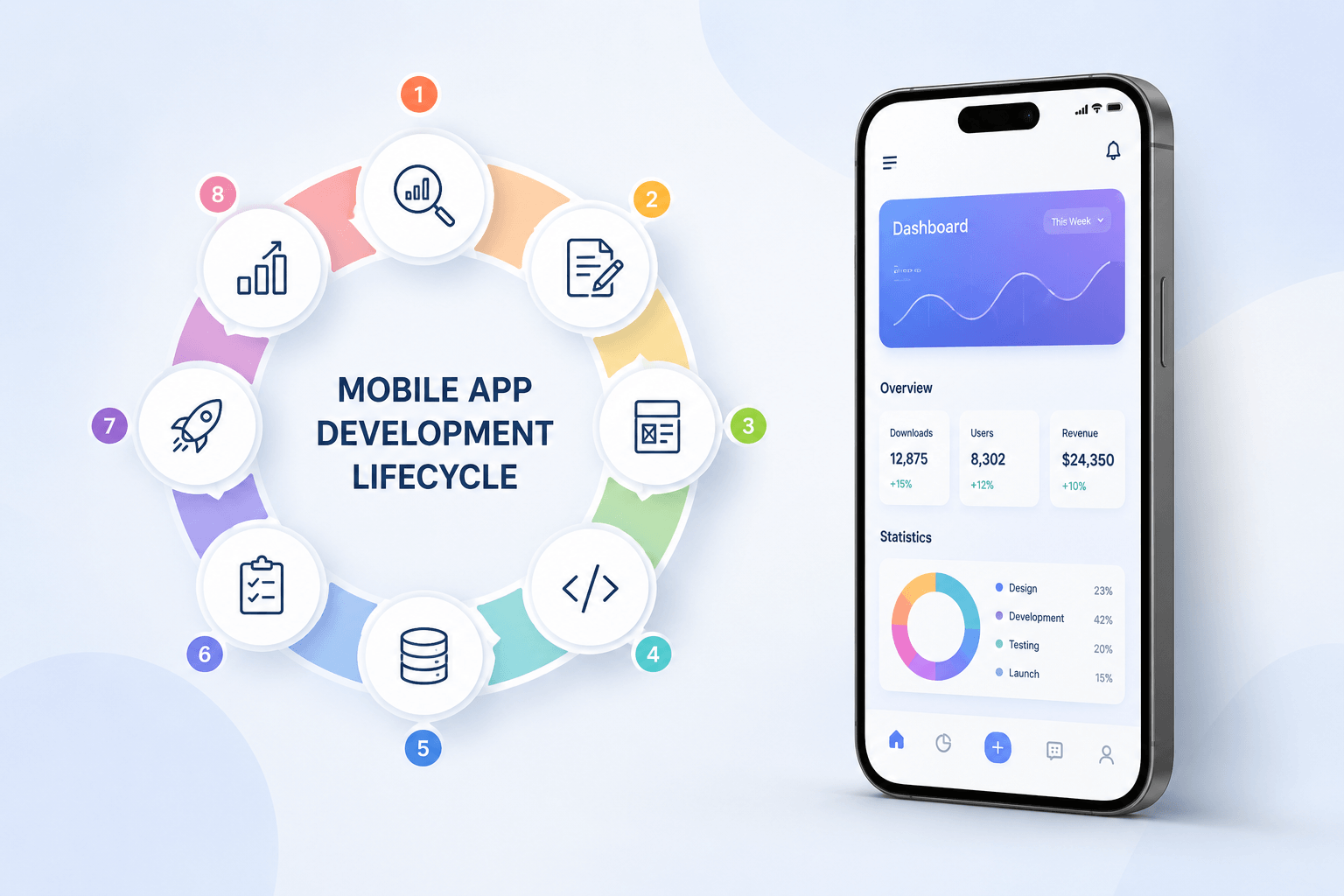
Modern app development follows Agile methodology — work is broken into 1–2 week sprints, each delivering working features you can see and test. This is vastly superior to the old ‘waterfall’ model where you waited months to see anything.
Development Phases
- Sprint 0 — Setup (Week 1–2): Development environment, CI/CD pipeline, API architecture, database schema
- Core Feature Sprints (Weeks 3–10): Build must-have features, weekly demos, continuous integration
- Integration Sprints (Weeks 11–13): Third-party API integrations (payments, maps, notifications, analytics)
- QA and Bug Fixing (Weeks 14–15): Manual and automated testing across devices
- Beta Launch (Week 16): TestFlight (iOS) / Internal Testing (Android) — share with 50–200 beta users
- Production Launch (Week 17+): App Store and Google Play submission
Testing Types You Cannot Skip
- Unit Testing: Individual functions and components work as expected
- Integration Testing: API calls, database operations, third-party services
- UI/UX Testing: Real users navigating real screens on real devices
- Performance Testing: Load testing, slow network conditions, large data sets
- Security Testing: OWASP Top 10 vulnerabilities, data encryption, auth bypass
Use Firebase Test Lab or BrowserStack to test your app across 100+ real device/OS combinations before launch. A single critical bug on a popular device can generate hundreds of 1-star reviews.
For complex platform builds — like a Multi-Tenancy eCommerce Platform or a Live Commerce Platform — the testing phase is especially critical. These builds require testing across merchant accounts, payment flows, and real-time features simultaneously.
Step 9: Launch Your App — App Store Optimization (ASO) and Go-to-Market Strategy
App Store Submission Checklist
- App Name: Include your primary keyword naturally (max 30 characters for iOS)
- Subtitle (iOS) / Short Description (Android): Your value proposition in one line
- Description: First 255 characters are critical — front-load benefits, include keywords
- Keywords Field (iOS): 100 characters of comma-separated keywords — no spaces, no repeats
- Screenshots: Lifestyle screenshots with caption overlays outperform plain UI screenshots by 30%
- App Preview Video: 15–30 second demo — apps with preview videos see 20% higher conversion
- Category Selection: Primary and secondary categories — choose strategically, not just obviously
- Age Rating and Privacy Policy: Required; ensure your privacy policy covers all data collected
Your Pre-Launch and Launch Go-To-Market Checklist
- Build your waitlist 4–6 weeks before launch (email capture via landing page)
- Create a launch strategy on Product Hunt — submit for a Monday launch for maximum visibility
- Prepare 3–5 genuine App Store review requests from beta testers for Day 1
- Write 5–7 launch-related blog posts and publish them in the 2 weeks around launch
- Set up App Store Connect analytics and Firebase Analytics before launch day
- Prepare a press kit (logo, screenshots, founder bio, unique angle)
- Reach out to relevant tech journalists and micro-influencers 3 weeks before launch
ASO Tip 2026: Google Play’s AI-powered store listing experiments let you A/B test your icon, screenshots, and description simultaneously. Run experiments for at least 14 days before choosing a winner.
Step 10: Post-Launch — Measure, Iterate, and Scale
The Metrics That Actually Matter
Most founders obsess over download numbers. Downloads don’t pay the bills — engagement and retention do. Focus on these KPIs:
- Day 1 / Day 7 / Day 30 Retention: If Day 30 retention is below 20%, you have a product problem
- Session Length and Frequency: Are users returning and spending meaningful time?
- Activation Rate: % of users who complete your key ‘aha moment’ within first session
- Churn Rate: For subscription apps — monthly percentage of paying users who cancel
- ARPU (Average Revenue Per User): Total revenue / active users
- App Store Rating: Below 4.2 stars on iOS significantly reduces algorithmic visibility
The Continuous Improvement Cycle
- Analyze: Review analytics, app store reviews, and support tickets weekly
- Hypothesize: Form a testable hypothesis — ‘If we simplify onboarding, activation rate will increase by 15%’
- Build: Implement the smallest change that tests the hypothesis
- Measure: Run for 2 weeks minimum with statistical significance
- Learn and Iterate: Double down on what works, kill what doesn’t
Scaling Your App
Once you’ve achieved product-market fit (typically measured as Day 30 retention above 25% with strong NPS), it’s time to scale:
- Performance: Implement CDN, database indexing, and server auto-scaling
- Features: Now build your Should Have and Could Have features from Step 3
- Platform Expansion: If you launched iOS-only, add Android; or add a web app
- Team: Hire product, marketing, and customer success before engineering
For niche verticals, consider whether a ready-made solution can accelerate your timeline. Mr Mobile App Developer has pre-built platforms for Home Service Management, Online Learning (LMS), Field Employee Tracking, and more — each significantly reducing time-to-market vs. building from scratch.
How Much Does It Cost to Build an App in 2026?
Cost is the question every founder asks first. The honest answer is: it depends. Here’s a realistic breakdown:
- Simple MVP (1 platform, basic features, 3–4 months): $8,000 – $25,000
- Mid-Complexity App (cross-platform, integrations, 4–6 months): $25,000 – $75,000
- Complex Platform (SaaS, marketplace, real-time, AI features, 6–12 months): $75,000 – $300,000+
- No-Code MVP (Bubble/FlutterFlow, basic features): $2,000 – $10,000
These figures vary dramatically by geography. Indian developers cost 3–5x less than US developers for equivalent output. A
freelance mobile app developer in India with strong English communication and a verifiable portfolio offers the best value for early-stage startups.
Cost-Saving Tip: Spending $500–$1,500 on a detailed technical specification document (tech spec) before development starts can save 20–30% of total development cost by reducing scope creep and misunderstandings.
Essential Tools for Building Your App in 2026
Ideation and Validation
- Google Trends, Reddit, App Store Connect Analytics
- Typeform or Google Forms for user surveys
- Loom for recording user testing sessions
Design
- Figma (UX/UI design, prototyping — industry standard 2026)
- Maze or UserTesting for usability research
- Mobbin for mobile UI inspiration
Development
- VS Code or Android Studio / Xcode
- GitHub / GitLab for version control
- Postman for API testing
- Firebase for auth, database, analytics, and push notifications
Project Management
- Linear or Jira for sprint management
- Notion for product docs and roadmaps
- Slack for team communication
Analytics and Growth
- Mixpanel or Amplitude for product analytics
- AppFollow or Sensor Tower for ASO monitoring
- RevenueCat for subscription management
- Appsflyer or Branch for mobile attribution
7 Mistakes Startups Make When Building Their First App (And How to Avoid Them)
- Building before validating: Spend 2 weeks validating before spending a dollar on development.
- Over-scoping the MVP: If your MVP takes 6+ months, it’s not an MVP.
- Hiring cheap developers: A $2,000 app that needs to be rebuilt costs more than a $15,000 app built right the first time.
- Ignoring onboarding: 60% of users never return after a confusing first session. Your onboarding IS your product.
- Skipping QA: One critical bug on launch day can define your app’s reputation forever.
- Not having a monetization model: Free apps need a path to revenue. Define it before you build.
- Not planning for maintenance: Apple and Google release OS updates that break apps. Budget 15–20% of build cost annually for maintenance.
Frequently Asked Questions (FAQs)
How long does it take to build an app in 2026?
A simple MVP takes 3–4 months with a focused team. A mid-complexity app takes 5–7 months. Complex platforms can take 9–18 months. AI-assisted development tools like GitHub Copilot and Cursor have reduced development time by 20–30% in 2026 compared to 2022.
Can I build an app without coding skills?
Yes, using no-code tools like Bubble, FlutterFlow, or Glide you can build functional apps without writing code. However, for scalable consumer apps with complex logic, custom backend requirements, or high performance needs, you’ll need a developer.
Should I build for iOS or Android first?
If your target market is in the US, UK, or Australia — start with iOS (higher monetization, faster approval). If your market is India, Southeast Asia, or Latin America — start with Android (dominant market share). For most startups in 2026, building cross-platform with Flutter eliminates this dilemma.
How do I protect my app idea before talking to a developer?
Have every developer or partner sign a Non-Disclosure Agreement (NDA) before sharing detailed specifications. Note that ideas themselves aren’t protectable — execution and code are. Focus on moving fast rather than over-protecting an unbuilt idea.
What is the best monetization model for a mobile app?
In 2026, the most successful models are: (1) Freemium with premium features — best for productivity and utility apps; (2) Subscription — best for content, SaaS, and services; (3) Marketplace commission — best for two-sided platforms; (4) In-app purchases — best for games and content. Avoid pure ad-supported models unless you have massive scale.
How do I find a good app developer?
Look for developers with a verified portfolio of live apps (not just mockups), strong communication, Agile process, and relevant domain experience. Mr Mobile App Developer has delivered 250+ projects across Android, iOS, Flutter, and React Native — explore their portfolio here.
Conclusion: Your App Idea Deserves to Exist — Start Today
Building an app in 2026 is genuinely achievable for any founder willing to follow a disciplined process. The ten steps in this guide — validate, define your audience, scope your MVP, choose your tech, design thoughtfully, hire right, build iteratively, launch strategically, and scale with data — are the same framework used by successful apps with millions of users.
The single biggest predictor of success isn’t your idea, your funding, or your tech stack. It’s execution speed. The faster you validate, the faster you build, and the faster you put a real product in front of real users, the faster you learn what actually matters.
If you’re ready to start, Mr Mobile App Developer is a trusted partner with 22+ years of experience turning startup ideas into production-grade apps. Whether you need an MVP built in weeks, a custom SaaS platform, or a crypto trading app, they have the proven track record to deliver.